
Ghana, a beacon of progress and innovation in Africa, offers a unique digital identity through its country-code Top-Level Domain (ccTLD), .GH. This domain not only serves as a marker of Ghanaian presence on the internet but also opens doors to numerous opportunities for businesses and individuals looking to establish a credible online footprint in and outside Ghana. The Importance of a TLD A Top-Level Domain (TLD) is the ending portion of a domain name, following the final dot. It holds significance for various reasons, including: For Ghana, the “.GH” domain embodies the country’s progressive approach and its embrace of the digital world. The .GH Domain Historical Overview The journey of .GH began as part of a global initiative to designate specific internet spaces for countries. It has since become a symbol of Ghanaian innovation and a key asset for digital branding within the nation. Managing Authority The Ghana Network Information Centre (GhanaNIC) is tasked with overseeing the .GH domain. This body ensures that all registrations are in line with national and international standards, fostering a safe and reliable online environment. Registering a .GH Domain Eligibility Requirements To register a “.GH” domain, you must be one of the following: This inclusive approach fosters a diverse and vibrant digital landscape in Ghana. Necessary Documentation Applicants must provide valid identification and, for businesses, proof of business registration in Ghana. These documents help maintain the integrity and security of the .GH domain space. Registration Steps The process involves selecting a unique domain name, submitting the required documents, and completing the registration fee payment. It’s designed to be user-friendly, ensuring accessibility for all interested parties. You can register your .gh domain names with the Ghana Domain Name Registry. It is the authority for registering .gh domains currently. There are plans to get this registration to other potential domain registrars such as Ovation Hall, but currently, you can only register with them. Benefits of .GH for Businesses Enhancing Local Presence A .GH domain immediately signals a business’s commitment to the Ghanaian market, enhancing its credibility and appeal to local consumers. SEO Advantages For businesses targeting the Ghanaian market, a .GH domain can improve search engine rankings within the country, leading to increased visibility and customer engagement. Challenges with .GH Domains Overcoming Technical Hurdles Prospective domain holders may encounter technical challenges during registration. However, with guidance from GhanaNIC and a clear understanding of the process, these can be easily navigated. Renewal and Management Best Practices To maintain their digital presence, domain owners must adhere to renewal schedules and best practices in domain management. Staying informed and proactive is key to avoiding lapses in registration. The Future of .GH As Ghana continues to advance in technology and digital policy, the .GH domain is expected to play an even more significant role in the country’s digital identity. With potential expansions and enhancements on the horizon, the future looks bright for .GH domain holders. Conclusion The .GH domain offers a unique blend of national pride and digital opportunity. Whether for local businesses, international companies, or personal brands, it serves as a gateway to the digital Ghanaian community and beyond. As Ghana strides forward in the digital age, the .GH domain remains a vital asset for anyone looking to establish a strong online presence in the country. FAQs
Blog
How to Buy a Domain and Hosting in Ghana
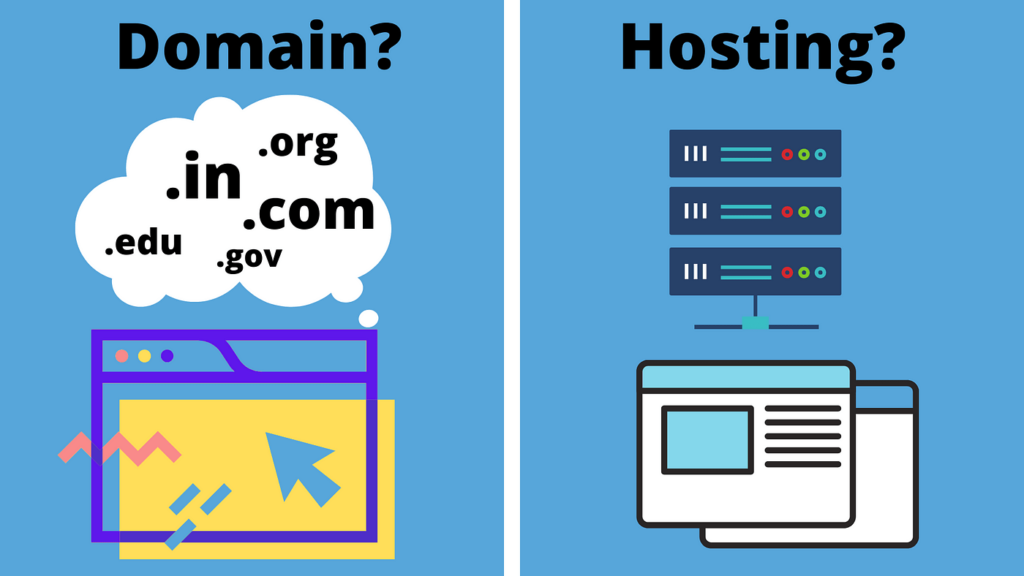
In this article, I will guide you on how to buy a domain and hosting in Ghana. I assume that you know what a domain and hosting is. If not, you can read below the main content for such details. I will also talk about how to choose the best domain name, which extension to use, and how to go on accessing your hosting account details. Let me go straight to the point. Step-by-Step Guide to Buying Domain and Hosting Understanding Domains and Hosting What is a Domain? A domain is essentially your website’s address on the internet. It’s how your visitors will find you online. The significance of a domain goes beyond just an address; it reflects your brand, and your professional identity, and can significantly affect your website’s visibility online. What is Web Hosting? Web hosting is the service that allows your website to be accessible on the internet. It’s where your site lives. There are several types of hosting services, including shared hosting, dedicated hosting, VPS, and cloud hosting. Each type offers different levels of performance, security, and flexibility. Why Are They Crucial for Your Online Presence? Together, a domain and hosting form the foundation of your website. They are crucial because they affect everything from your site’s performance, its reliability, to how search engines rank it. Without a domain, you don’t have a website, and without hosting, your website cannot be seen online. How to Choose the Right Domain Name Keep It Simple and Memorable Your domain name should be easy to spell, pronounce, and remember. A complicated domain can deter potential visitors. Consider SEO and Keywords Including relevant keywords in your domain name can improve your site’s SEO. However, it’s crucial to ensure your domain remains brandable and not just stuffed with keywords. Understanding Domain Extensions The domain extension you choose, such as .gh for Ghana or .com.gh for commercial entities in Ghana, can impact your website’s visibility. Consider your audience and business type when selecting an extension. The Ghanaian Domain Registry provides insights on choosing the right domain extension. Selecting the Best Hosting Provider in Ghana Factors to Consider When Choosing a Hosting Provider Key factors include speed, which affects your site’s load time; uptime, which is the time your site is available online without problems; customer support; and scalability, the ability to grow with your website. We do not know much about other hosting providers in Ghana, but we can assure you that Ovation Hall provides the best web hosting service in Ghana. Setting Up Your Website Connecting Your Domain and Hosting Once you have your domain and hosting, you’ll need to connect them, usually by updating your domain’s nameservers to point to your hosting provider. For this article on how to buy a domain and hosting in Ghana, we assume that you are buying both the domain and hosting from us so it is not necessary to change your DNS. Domains registered with us propagate within 15 minutes. If you did not register your domain with us, you will need to change the nameservers to match ours. You can find the nameservers for your server in your account details email or you can contact us for it. Installing a Content Management System (CMS) Choosing the right CMS, like WordPress, Joomla, or Drupal, depends on your needs. WordPress is renowned for its ease of use and extensive plugin ecosystem, making it a great choice for beginners. Joomla and Drupal offer more customization options but have a steeper learning curve. For comparisons and tutorials, check out WPBeginner. Website Security and Maintenance Essential Security Measures for Your Ghanaian Website Implementing SSL certificates ensures your website is secure and builds trust with your visitors. Regular backups and updates are also crucial for security and performance. For more on SSL certificates, visit Let’s Encrypt. Regular Maintenance Tips Keeping your website up-to-date with the latest security patches and updates is crucial for maintaining performance and security. Regularly check your website for any issues and monitor its performance using tools like Google Analytics. Understanding how to buy a domain and hosting in Ghana is the first step towards establishing a successful online presence. By following the outlined steps and considering the key factors for selecting domain names, hosting services, and setting up your website, you’ll be well on your way to creating a robust and secure online platform. Regular maintenance and updates will ensure your website remains secure and performs well, keeping you competitive in the digital landscape of Ghana.
Are Your Online Passwords Strong Enough for 2020?
Whenever you don’t use a strong password, you run the risk of losing vital and often personal information. At best, a compromised password can lead to being briefly locked out of a social media account. At worst, your entire life can be turned upside down. Fortunately, there are several key warning signs that will make it clear whether you have an easily-compromised password. Once you understand a few best practices, putting together strong passwords and keeping your online accounts safe will become second nature. In this article, we’ll talk a little more about what the dangers of a weak password actually are. Then we’ll discuss how you can tell if your passwords are weak, and the different ways you can strengthen them for 2020. Let’s get started! The Dangers of Using a Weak Password One of the main types of ‘weak’ passwords is one that is easily guessed. This often means that it isn’t complex enough, or it relies on information that is publicly available (such as a family member’s birthday). A password like that can leave you open to ransomware – malware that hackers use to hold your device hostage until you pay – and other viruses. However, a weak password can also be one that you have used for multiple accounts. When you use the same password repeatedly, you’re increasing your chances of a data breach. If you run a business online, you may also be compromising your customers’ accounts and personal information. Even basic details, such as your name and date of birth, can lead to identity theft. Hackers could use that information to open fraudulent credit cards, make false health insurance claims, use your debit and credit cards, sell your information to thieves, steal your tax refund, or even commit child identity theft. All of these scenarios can have devastating effects, which could last a lifetime for you and your family. This makes it clear that ensuring all of your passwords are secure is an important precaution to take. How Can You Know if Your Password Is Weak? Fortunately, there are some easy ways to tell if your password is weak. At the most basic level, the shorter a password is, the easier it will be for humans and bots to guess. However, a weak password can also include predictable strings of numbers (“1234567”), the word “password” itself, and other common character strings (such as “qwerty”). It’s also wise to avoid the most commonly-used passwords, which typically include names, popular sports teams, musicians, and well-known fictional characters. One tactic many people use to try and make their passwords harder to guess is to replace letters with numbers or special characters (i.e., “[email protected]@1L” for “baseball”). Unfortunately, these types of passwords are still easy for hackers to decipher. All of this illustrates why simply adopting a ‘common-sense’ approach to password security won’t work. It isn’t enough to guess at what might make your passwords strong – instead, it’s best to follow a proven set of best practices. 3 Ways to Make Your Passwords Stronger Creating better passwords is a relatively straightforward task. However, you don’t have to stop there. You can also keep your accounts safe by using Two-Factor Authentication (2FA) and a password manager. Let’s take a closer look at how these strategies work. 1. Create Unique and Complex Passwords As we mentioned earlier, longer passwords are typically better. However, that doesn’t mean you should include personal information or common words to help you remember it. After all, nicknames, birth dates, addresses, and the like are all easily guessed. What you’re better off doing is creating a password make up of a string of random numbers, letters, and special characters (such as “$”, “@”, and “~”). It’s also a good idea to make sure you include at least one uppercase and one lowercase letter. The longer, more random, and more complex your password is, the harder it will be to guess. If you have trouble coming up with something random, you can always use a password generator tool: This will provide you with a password that’s long enough, and contains randomly-generated upper- and lowercase letters, numbers, and symbols. 2. Set Up Two-Factor Authentication (2FA) Two-Factor Authentication (2FA) is another means of keeping your passwords and personal data secured. When you use 2FA, you’ll need to log into your account using your username and password, but also provide a special key or code received via a text message, phone call, or email. This makes it impossible for anyone to break into your account by simply guessing your password. Instead, they’ll also need access to something else, such as your phone or personal email account: Many accounts and services now offer built-in 2FA, so it’s smart to take advantage of those options where possible. You can also use a third-party app to set up 2FA yourself, including Authy, Google Authenticator, and Microsoft Authenticator. To check and see if the services and apps you use have 2FA included, you can use the website Two Factor Auth. It features an ever-expanding list of businesses and companies that offer 2FA services. 3. Use a Password Manager A password manager is an application that stores and encrypts your login data for all of your online accounts. It remembers your details, so you don’t have to keep them in a vulnerable text file or write them down by hand. Some password managers are included in specific browsers, but other work across multiple platforms. Unlike the browser-based tool, cross-platform managers don’t store your data locally, and often come with password generators built-in. There are plenty of options you can try out, including Dashlane, LastPass, and 1Password. LastPass, for example, is simple to set up. From its store page, you can select Add to Chrome: After that, you can get started by setting up an account. Then, you can go ahead and create a strong master password, following the advice provided by the tool: This master password is what you’ll use to access all of
PHP 5.6 and PHP 7.1 Usage to Be Discontinued
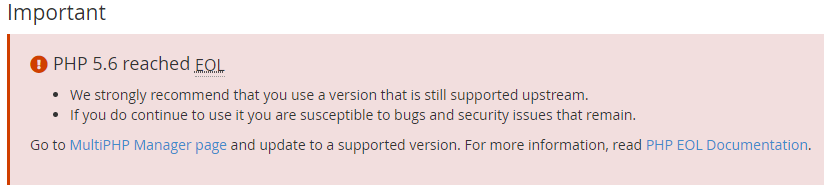
Ovation Hall is going to discontinue the usage of PHP 5.6 and PHP 7.1. This is due to the fact that both PHP versions have reached their End of Life. What this means is that developers no longer provide security fixes or support for such PHP versions. Using any of these pose a security threat to your website and the server as a whole. You are therefore required to use the most recent PHP versions as possible as you can. From April 2020, we would change all PHP versions of such websites to the newest versions if they have not been changed. Follow our social media profiles below for more updates: Facebook Twitter Instagram LinkedIn
7 Best Techniques to Promote Your Website for Free
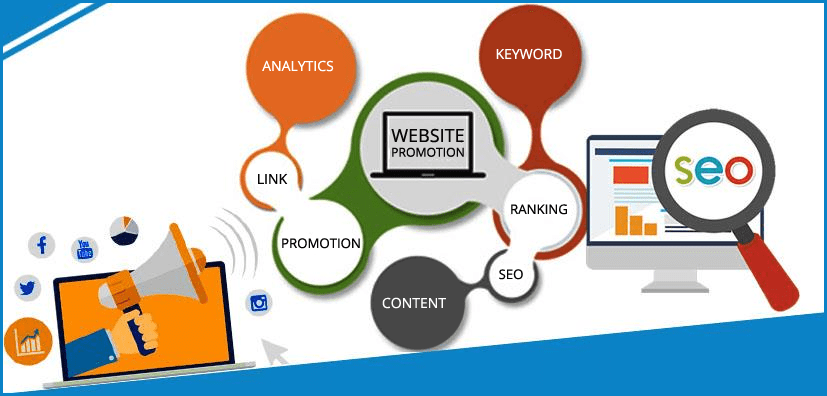
You can have the best product in the world, but without effective advertising, no one will know about it. Just because you have launched your website on the Internet doesn’t mean that everyone will come flocking to it. In fact, nobody will know it exists if you do not get out there and promote it. There are several services available to help you get the word out there, but they cost money. However, there are several ways to get the word out for free. Here are seven website promotion tips you need to follow to get your page up to the top of the search engines. 1. Focus on Website SEO Before you begin working on your website content, you need to know the SEO tools that will go into it. Use the Google keyword tool planner to help you find the best keywords for your niche market. Remember to focus on long-tailed keywords versus short keywords as you can struggle to rank for a broad keyword. Focus on the keywords that have low competition and high search frequency to help you create blog posts that are compelling, and will get noticed. Using the right SEO strategy will help you as you focus on promoting your site. The keywords you select must be added to the title, headings, content, and Meta description. If you add images, remember to include the keyword in the picture title tag and the alt tag. Promoting your website by using traditional SEO is one of the best ways to gain natural traffic and a higher ranking. 2. Social Media Marketing The world of social media has completely changed online marketing. Creating a social media account, and interacting with the customers often is the best way to promote a website. You will be able to create connections with the customers, and you can gain instant results as a result of your communication with them. Different social media accounts provide businesses with an excellent platform to advertise their business to the right audience. The promotion of websites on social media accounts can have branded imagery. Consider running contests and giveaways with unique landing pages to gain new “likes” and customer contact information. Facebook and Twitter remain the dominant forces of social media, but Pinterest and Instagram are starting to catch on with businesses as other ways to promote a website. 3. Search Engine Listing A simple way to start getting traffic to your website is by using the search engines. Submit new content to the search engine directories like Google, Yahoo!, Bing etc, so it can be indexed. The major search engines offer this free service, and you can acquire it with smaller search engine directories as well. This is one of the first things you need to do to promote a website if you are adding fresh content weekly. 4. Signature Branding Your brand image is how people will recognize your company. Spend some time working on making your brand easy to recognize, and compelling enough to get people’s attention. Create a signature for your email account, text messages, and forums that include your website URL. This is a great way to get people to recognize your brand, and it will get people to click on the URL. It is vital to have a mobile-friendly website if you choose to add your URL to text messaging and other mobile advertising options. 5. Reciprocal Linking One way to show the search engines your website is trusted is by having other websites link to your site. If you want a promotion, website options include; guest blogging, forum posting, link exchange, and news articles. Do not start linking your site to a number of low-ranking, low-quality sites. The search engines want to reward you with a higher website ranking when they see your website is linked to higher ranking, authority sites. Focus on creating links that are relevant to the readers, and use quality keywords or phrases to gain a link. Inbound links are an important part of the SEO world, but you must be careful in the way you create them. If you do too many at once, your website can be banned from the search engines. Slow and steady is the best way to go when you are working on quality inbound links to your website. 6. Focus on Quality Content Out of all the website promotion ideas, you will read about online, the best one is to focus on quality. Why are you writing blog posts for the readers? Are you giving them the information they want, or are you only focused on getting something “fresh” on your website? Creating quality content is vital to your website, and to your overall ranking. Write the kind of content that other people want to read and promote on their own blogs/websites and on social media. When you create a company blog, use Google Authorship to help you gain visibility. This will link all your articles together, and it will rank higher in Google. Send out new social media messages each time you upload a new article to the blog. Monitor the blog to find out what is working, and what you can ditch if it’s not moving traffic up. 7. Use Google Local Business To gain a local audience, submit your site to Google Local Business. Not only will Google provide website promotion ideas, but they will also allow every business to register their information for free. You can add pictures, include promotional offers, and even submit mobile ads. The great part of the Google Local Business page is how the information is displayed. It will show up right above the rest of the normal search result information, giving your business a larger online presence. Google even provides directions to your location, and they allow customers to call right from their mobile device. If you are still asking how to promote my website after using these seven tips, it is a good idea to contact online marketing agencies for help. These seven website promotion
15 Easy Ways to Speed Up Your WordPress Website
WordPress is a great platform. One weakness that it suffers from, however, is it can be quite slow. Without taking the right precautions, you could end up with a sluggish site. That’s not only a hassle for repeat visitors but will cause you to lose subscribers and customers. In this quick guide, I’ll cover all of the best ways that I’ve found to consistently speed up WordPress. Why WordPress Site Speed Matters When a person lands on your site for the first time, you only have a few seconds to capture their attention to convince them to hang around. Get ready to lose sleep at night: according to a report by the Microsoft Bing search team, a 2-second longer delay in page responsiveness reduced user satisfaction by 3.8%, increased lost revenue per user by 4.3%, and reduced clicks by 4.3%. If your site takes too long to load, most people are gone, lost before you even had a chance. Not only that, but Google now includes site speed in it’s ranking algorithm. That means that your site’s speed effects SEO, so if your site is slow, you’re now losing visitors from impatience and reduced rankings in search engines. Yikes. Let’s fix that. How To Speed Up WordPress As a side note, these are not ordered by importance or any criteria, I’ve just gathered everything I’ve learned about how to speed up WordPress page loads and listed them all here. I guarantee that using even a few will help speed up your site. 1. Choose a good host Turn up the speed with the fastest web hosting. With fall in the air and the new year just around the corner, it’s a great time to start thinking about new hosting for a new website you’re building. High-speed hosting services not only improve user experience but they also: Have a positive impact on search engine ranking (Google admitted it) Increase the amount of time on site because users are comfortable browsing more Is a huge factor in your overall website speed Helps with resource delivery. With Ovation Hall, you are assured of high-speed SSD servers. 2. Start with a solid framework/theme You might be surprised to hear this, but the Twenty Nineteen theme (aka the default WP theme) is lightweight and quite speedy. That’s because they keep the “guts” simple; compare that to bloated frameworks which have tons of features that you will never use, slowing your site to a crawl. From my experience, the fastest loading premium framework is definitely the Focus Theme Framework, especially the new Focus skin (I’m using a completely bare-bones version on this site, but I personally love simplicity!). It surpasses the basic WordPress themes by being far easier to customize. It’s an incredibly solid framework that won’t slow you down with excess plugins or custom edits. Make the changes right from the theme and avoid bloat, hoorah! 3. Use an effective caching plugin WordPress plugins are obviously quite useful, but some of the best falls under the caching category, as they drastically improve page loads time, and best of all, all of them on WordPress.org are free and easy to use. By far my favorite, bar none, is W3 Total Cache, I wouldn’t recommend or use any other caching plugin, it has all of the features you need and is extremely easy to install and use. Simply install and activate, and what your page load faster as elements are cached. 4. Use a content delivery network (CDN) All of your favorite big blogs are making use of this, and if you are into online marketing using WordPress (as I’m sure many of my readers are) you won’t be surprised to hear that some of your favorite blogs like Copyblogger are making use of CDN’s. Essentially, a CDN, or content delivery network, takes all the static files you’ve got on your site (CSS, Javascript, and images, etc) and lets visitors download them as fast as possible by serving the files on servers as close to them as possible. I personally use the StackPath Content Delivery Network on my WordPress sites, as I’ve found that they have the most reasonable prices and their dashboard is very simple to use (and comes with video tutorials for setting it up, takes only a few minutes). There is a plugin called Free-CDN that promises to do the same, although I haven’t tested it. 5. Optimize images (automatically) Yahoo! has an image optimizer called Smush.it that will drastically reduce the file size of an image, while not reducing quality. However, if you are like me, doing this to every image would be beyond a pain, and incredibly time-consuming. Fortunately, there is an amazing, free plugin called WP-SmushIt which will do this process to all of your images automatically, as you are uploading them. No reason not to install this one. If you prefer to manage this on your desktop, I really like Squash for Mac users. 6. Optimize your homepage to load quickly This isn’t one thing but really a few easy things that you can do to ensure that your homepage loads quickly, which probably is the most important part of your site because people will be landing there the most often. Things that you can do include: Show excerpts instead of full posts Reduce the number of posts on the page (I like showing between 5-7) Remove unnecessary sharing widgets from the home page (include them only in posts) Remove inactive plugins and widgets that you don’t need Keep in minimal! Readers are here for content, not 8,000 widgets on the homepage Overall, a clean and focused homepage design will help your page not only look good but load quicker as well. 7. Optimize your WordPress database I’m certainly getting a lot of use out of the word “optimize” in this post! This can be done the very tedious, extremely boring manual fashion, or… You can simply use the WP-Optimize plugin, which I run on all of my sites. This plugin lets you do just one simple task: optimize your database (spam, post revisions, drafts, tables, etc.) to reduce their overhead. I would also recommend the WP-DB Manager plugin, which can schedule dates for database optimization.
6 Types of SSL Certificates to Secure Your Website
Building customer trust or obtaining customers’ confidence in your business website is a must. The best way to accomplish this trust is to install an SSL certificate. SSL (Secure Sockets Layer) certificates are used to secure website pages when submitting necessary sensitive information. Sensitive information can be in the form of payment methods, online services such as online banking, and account login websites. SSL certificates can also be used to gain an end user’s trust. Google has incentives for website owners to install SSL certificates for search engine rank benefits. When the SSL certificate is installed to a website, the URL will change from HTTP to HTTPS. A padlock will appear in the URL address bar. This builds immediate trust with those visiting your site. A Certificate Authority (CA), a trusted third party, generates and issues SSL certificates for websites. There are a variety of types of SSL validation levels. It’s important to be familiar with them to know which to install. Below is a list of the different types of SSL certificate types that can be purchased. Extended Validation Certificates (EV SSL) Organization Validated Certificates (OV SSL) Domain Validated Certificates (DV SSL) Wildcard SSL Certificate Multi-Domain SSL Certificate (MDC) Unified Communications Certificate (UCC) Let’s dive into each. Extended Validation Certificates (EV SSL) The highest ranking and most expensive SSL certificate type is an Extended Validation Certificate. This type of SSL certificate, when installed, will display on the browser address bar, the padlock, HTTPS, name of the business, and the country. Displaying the website owner’s information in the address bar will help distinguish the site from malicious sites. To receive this type of SSL certificate, the website owner will need to go through a standardized identity verification process to confirm the website owner is authorized legally to the exclusive rights to their domain. EV SSL certificates are used, in high profile websites, for applications that require identity assurance such as collecting data, processing logins or online payments. Types of Browser Views with EV SSL Certificates Chrome will show a padlock, HTTPS, the name of the business, and the country code in green font. Firefox will show a padlock, the name of the business, and the country code in green font and HTTPS. Microsoft Edge will show a padlock, the name of the business, and the country code in green font and HTTPS. Safari will show the green padlock and the name of the business. Organization Validated Certificates (OV SSL) Organization Validation SSL certificates’ main purpose is to encrypt the user’s sensitive information during transactions. This version of the SSL certificates has a high assurance similar to the EV SSL certificate which is used to validate a business’ creditably. This SSL certificate type also displays the website owner’s information in the address bar to help distinguish from malicious sites. OV SSL certificates are the second highest in price. Commercial or public-facing websites have a requirement to install an OV SSL certificate to assure that any customer information shared remains confidential. To obtain an OV SSL certificate, the website owner will need to complete a substantial validation process. A Certification Authority (CA) will investigate the website owner to see if they have the right to their specific domain name. Once the SSL certificate is installed, the business information will be displayed in the browser address bar. Types of Browser Views with OV SSL Certificates Chrome shows padlock, business name, country code, and HTTPS in green font. Firefox shows a green padlock, business name and country code in green font, and HTTPS. Microsoft Edge shows a green padlock, business name and country code in green font, and HTTPS. Safari will show the green padlock and the name of the business. Domain Validated Certificates (DV SSL) Domain Validation SSL Certificate has a low assurance and basic encryption typically for blogs or informational websites. The validation process to obtain this SSL certificate type is minimal. The process only requires for website owners to prove domain ownership by responding to an email or phone call. This SSL certificate type is one of the least expensive and fastest to obtain. The browser address bar will only display HTTPS and a padlock. The business name will not be included. If you do not need extra assurance for your website visitors, then you would install a Domain Validation SSL certificate. Types of Browser Views with DV SSL Certificates All browsers will only show a green padlock and HTTPS. Wildcard SSL Certificates Wildcard SSL certificates are used to secure a base domain and unlimited subdomains. Purchasing a wildcard SSL certificate is cheaper than purchasing several single domain SSL certificates. OV Wildcard SSL certificates or DV Wildcard SSL certificates are available for purchase. Wildcard SSL certificates will have an asterisk * as part of the common name. The asterisk * will represent any valid subdomain that has the same base domain. For example, the common name can be *.example.com. This SSL certificate type can be installed for install.example.com, list.example.com, etc. Multi-Domain SSL Certificates Multi-Domain certificates can secure up to 100 different domain names and subdomains using a single certificate which helps save time and money. You have control of the Subject Alternative Name (SAN) field to add, change, and delete any of the SANs as needed. Domain Validated, Organization Validated, Extended Validated, and Wildcard SSL types are available as well. Here are some domain name examples that can be secured with just one Multi-Domain SSL certificate: www.domain.com www.domain.in www.domain.org domain.com checkout.domain.com mail.domain.com secure.exampledomain.org www.website.com www.example.co.uk Unified Communications Certificates (UCC) Unified Communications Certificates (UCC) are also considered Multi-domain SSL certificates. UCCs were originally designed to secure Microsoft Exchange and Live Communications servers. Today, these certificates can be used by website owners. This type of SSL certificate allows multiple domain names to be secured on a single certificate. UCC Certificates are organizationally validated and display a padlock on a browser. UCCs can be used as EV SSL certificates to give website visitors the highest assurance through the green address bar. Conclusion There is great